
The pumpkins are out. The costumes are ready. And the candy you promised to save for Halloween? Hopefully, there’s still some left.
The wait is over: The spooky season is here. Ready for trick or treat?
This year, add something unexpected to the candy bowl: a Halloween song made for someone you know. A spooky surprise for your favorite vampire, a playful greeting for your witchy best friend, or a little musical magic for someone celebrating far away.
Vanso is introducing Music Card, a new feature that turns your personal messages into AI-generated songs. Start with a Halloween-themed card, create a song for someone special, and share it as a musical treat.
Keep the candy. Bring a song, too.
A Halloween Treat That Sounds Like You
A simple “Happy Halloween” is a good start. But what about the friend who steals your candy every year? The partner whose last-minute ghost costume is suspiciously familiar? Or the person you wish were beside you for tonight’s scary-movie marathon?
Give those little stories a soundtrack.
With Vanso’s new Music Card feature, you can create a personalized Halloween song from something you want to say. The pumpkin-and-ghost artwork sets the scene; your message brings a personal touch.
Make it mischievous, affectionate, or delightfully spooky. Mention a costume, an inside joke, or a memory only the two of you share. You don’t need a grand idea—a few words can be enough to begin.
And once your song is ready, you can send it as a link. The recipient can open it and listen on the web, making your musical treat easy to deliver—even when you’re nowhere near the same doorstep.
How to Make a Halloween Song with AI in Vanso
Have someone in mind? Here’s how to turn your Halloween greeting into a song.
1. Choose the Halloween Music Card
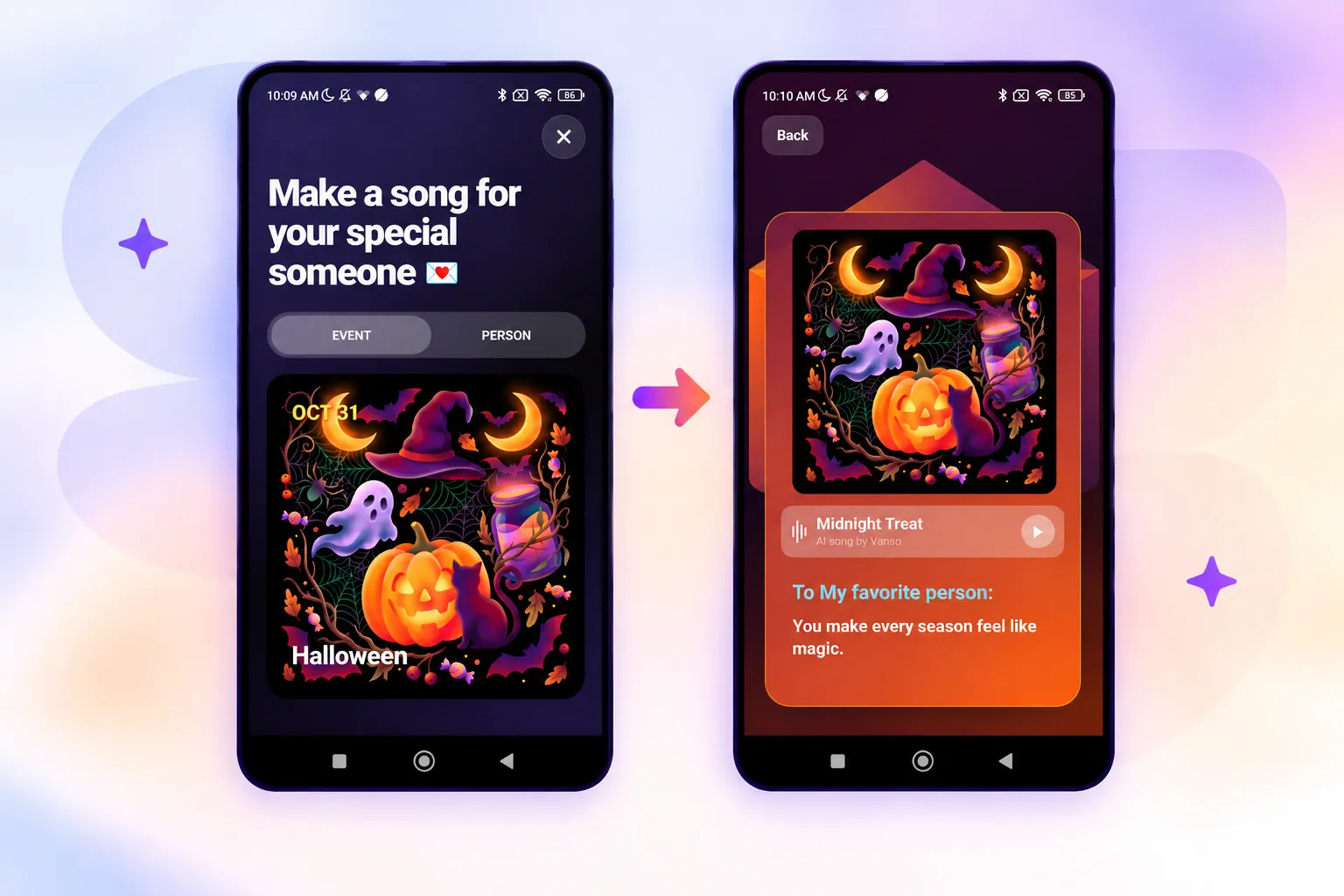
Open the Music Card in the Vanso app. Select the EVENT tab, then tap Halloween.
A Halloween card unfolds from its envelope, setting the mood with pumpkins, ghosts, and witchy details. The greeting shown here is a starting point for your creation—you’ll personalize it next.
2. Write your message and choose your sound
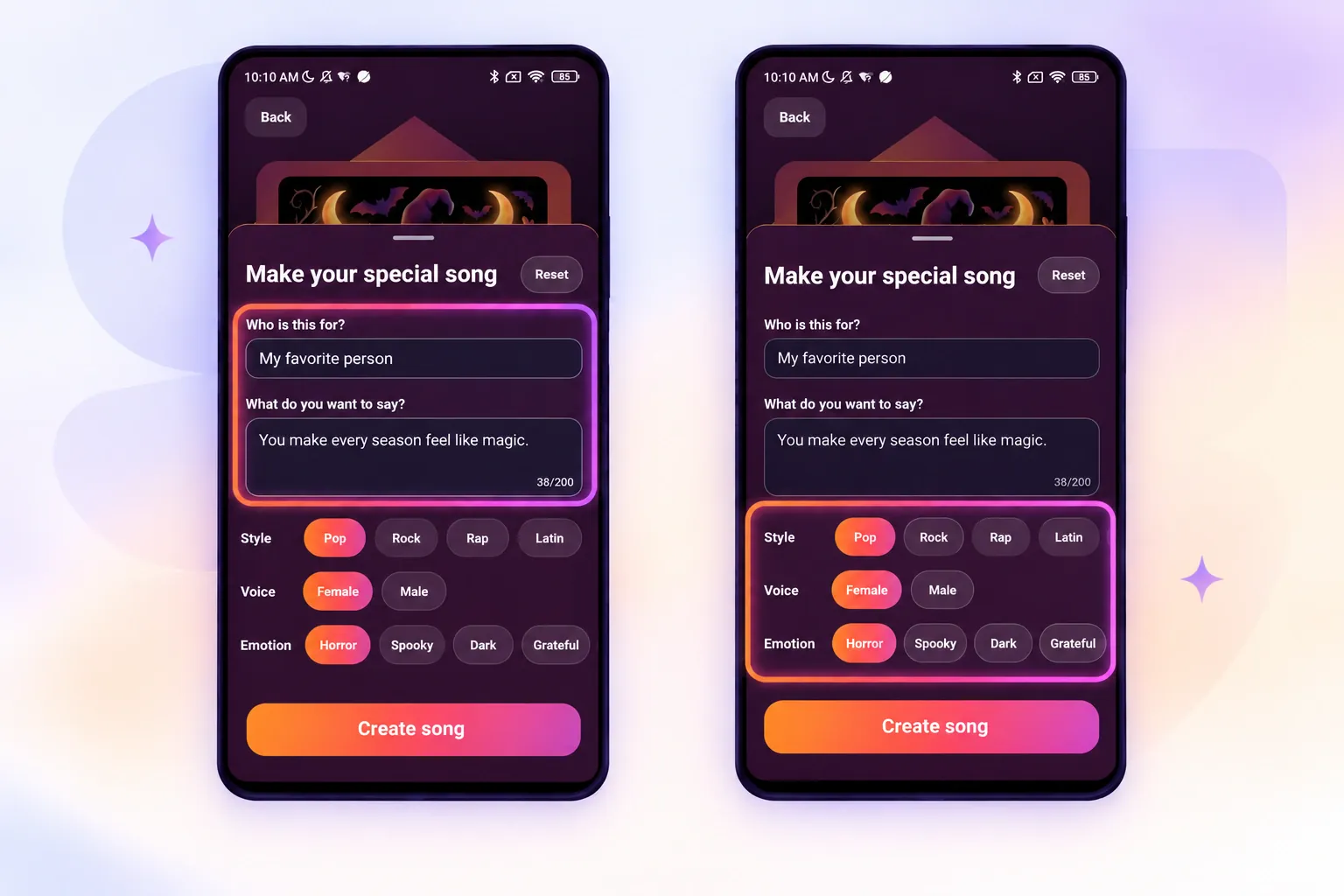
In Who is this for?, enter your recipient’s name or nickname. Under What do you want to say?, add your Halloween greeting, joke, or message.
You have up to 200 characters to work with. Keep it simple and include a detail that makes it theirs.
Then choose your Style, Voice, and Emotion. Explore styles such as Pop, Rock, Rap, and Latin, and try Halloween moods such as Horror, Spooky, or Dark.
3. Create your song and give it a listen
Tap Create song when you’re ready.
You’ll see a Creating your song… message while Vanso generates your track. This may take a few minutes.
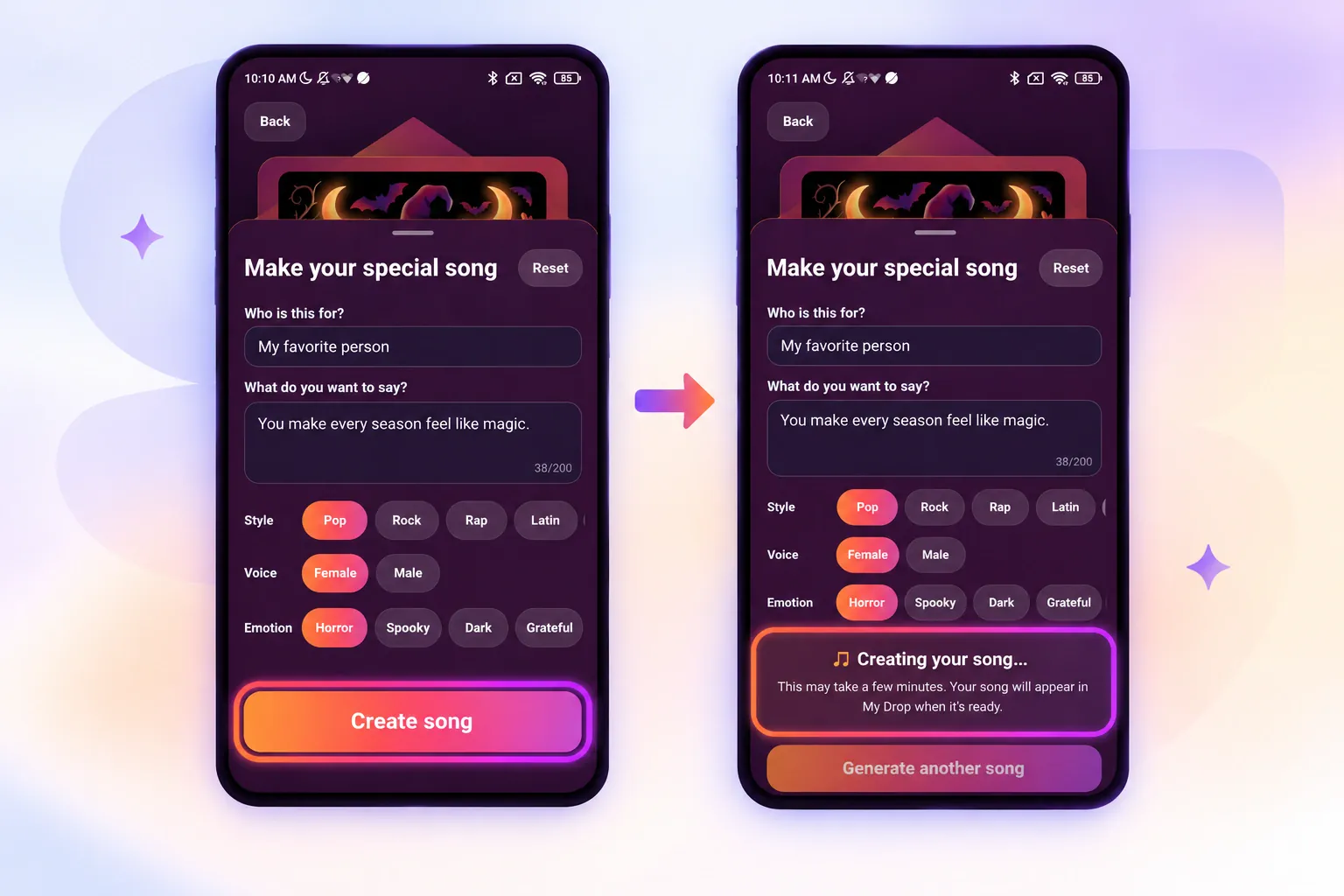
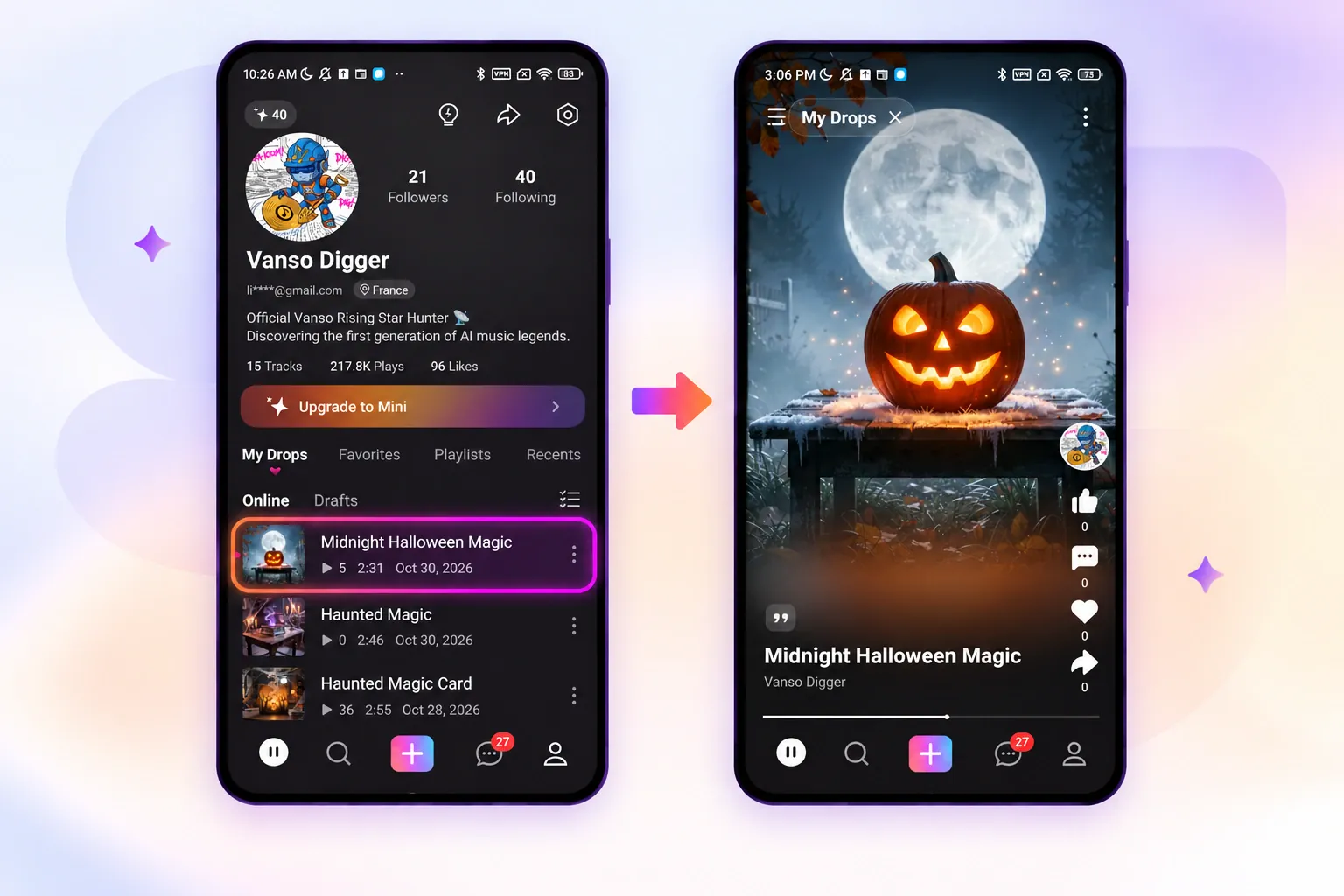
Once it’s ready, find your song in My Drops and press play.
Hear how your message has been turned into lyrics and music. Each result can be different, so enjoy discovering where your idea takes you.
4. Share your Halloween treat
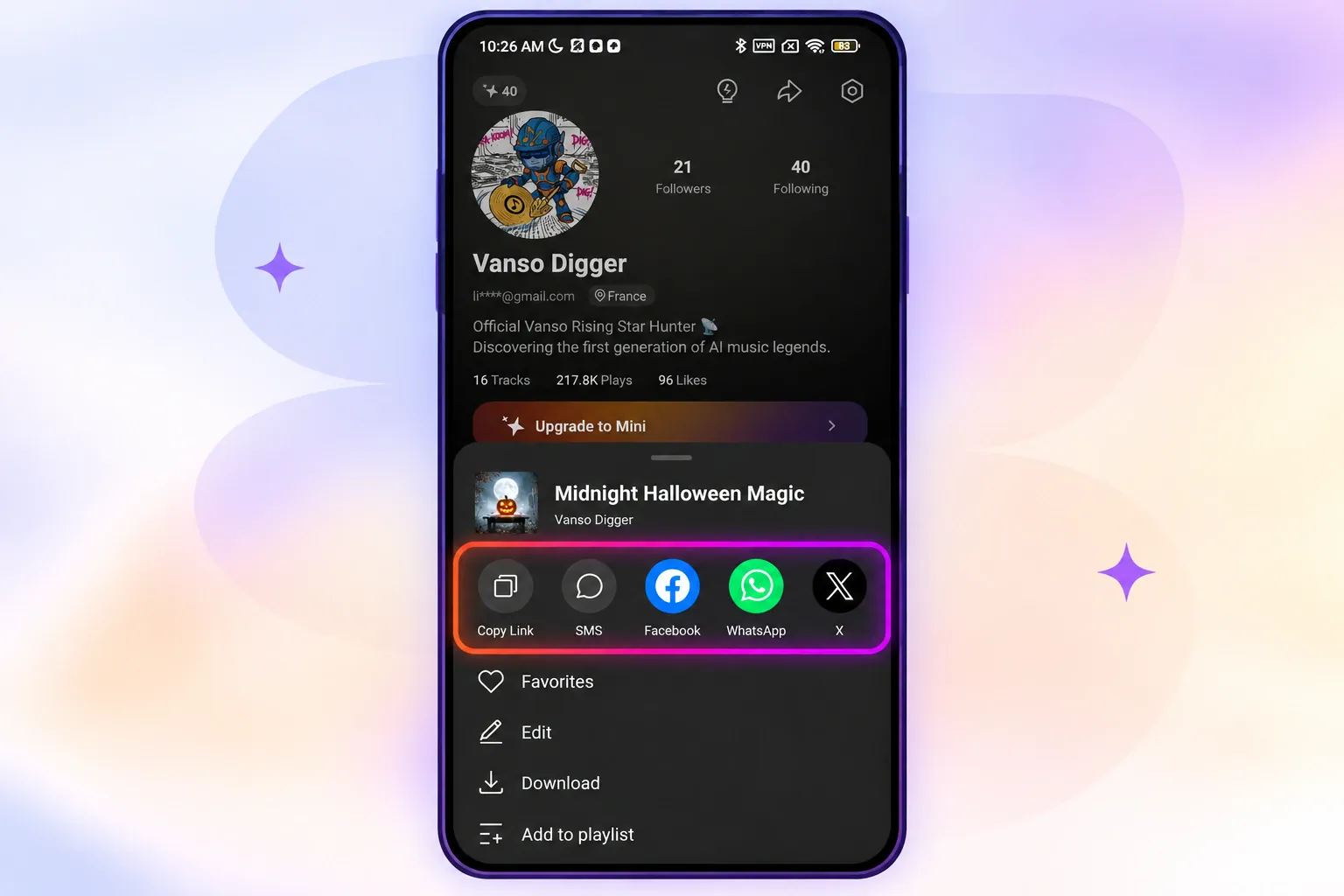
Open your finished song’s sharing options. Select Copy Link, or share through options including SMS, WhatsApp, Facebook, and X.
Send it to your recipient or drop it into your Halloween group chat. They can open the link and listen on the web without installing Vanso.
The Halloween card is your creative starting point; the link shares the finished song.
FAQs
Is it free to create a Halloween song in Vanso?
Yes. New users can create songs for free. And Vanso gives you free credits every month.
Can I create a Halloween song in my own language?
Yes. Vanso supports song creation in multiple languages, so your message doesn’t have to be in English. Write your greeting in the language you want to use for your song.
Do I need music-making experience to use Music Card?
No. You don’t need to compose music or prepare a full set of lyrics. Bring a message and choose your musical preferences—Vanso handles the AI song generation.
Give Them Something to Play After the Candy’s Gone
Somewhere, a vampire is checking their reflection. A witch is looking for her hat. And your favorite person is still waiting for their Halloween treat.
Make them something worth pressing play on.
Try Music Card in Vanso and create your own Halloween song.
Download Vanso to get started.
Happy Halloween. 🎃