
A simple “thank you,” an inside joke, or a quiet “I miss you”—a few words can be the start of a personal song.
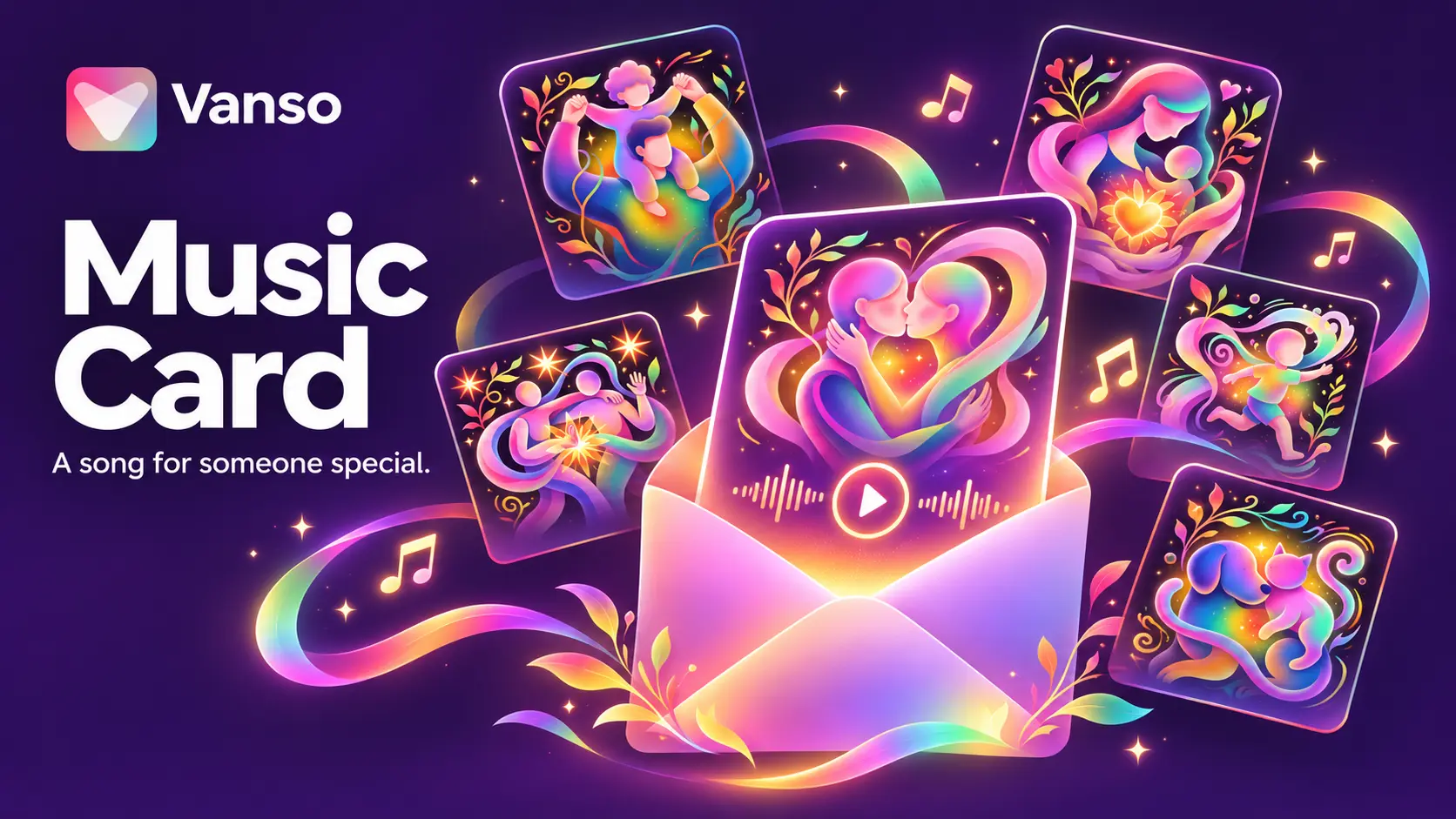
Meet Music Card, a feature in Vanso that turns your message into an AI-generated song. Create one for someone special, then share it with them.
From a Few Words to a Song for Dad
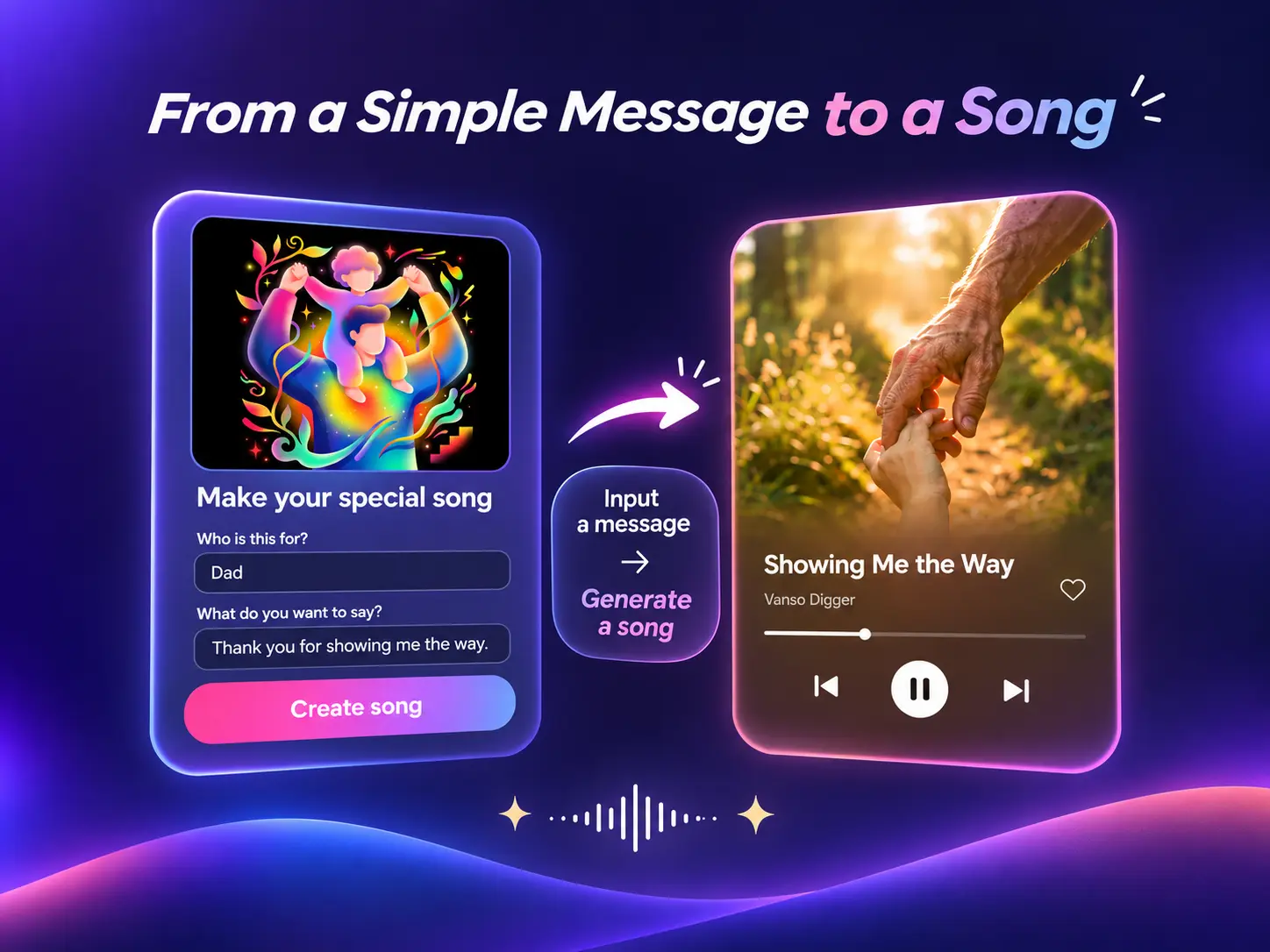
“Thank you for showing me the way.”
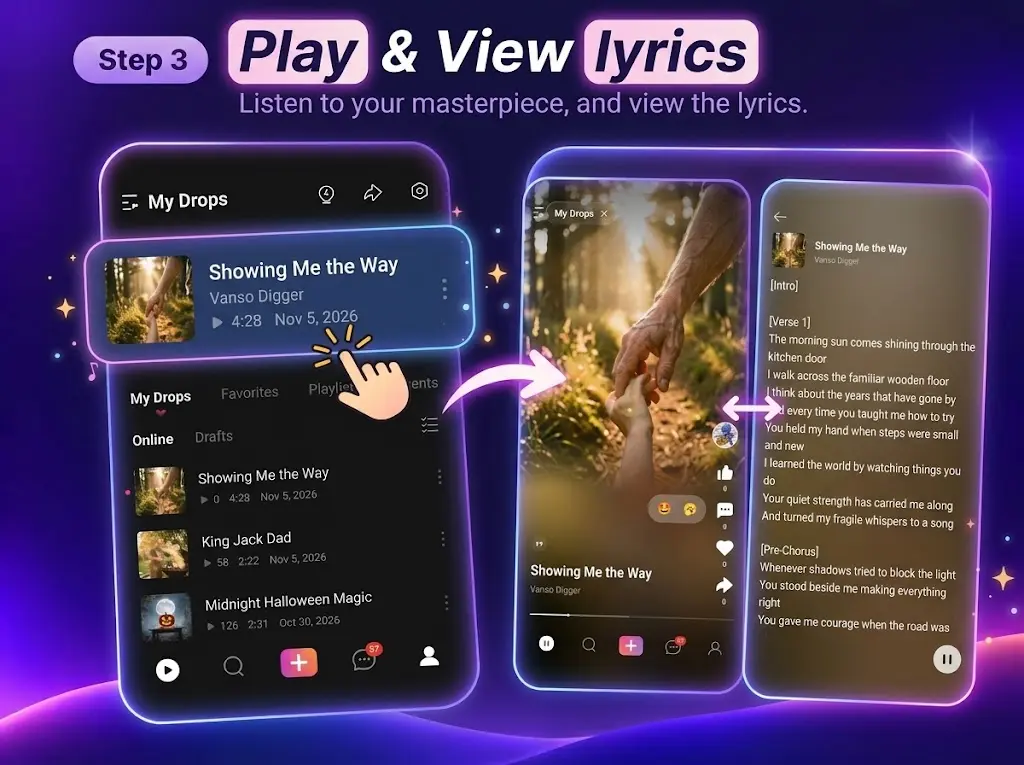
With the Dad template in Music Card, this simple message became “Showing Me the Way,” an AI-generated song about gratitude and growing up with a parent’s support.
Start with something you want to say, and let Music Card turn it into a song for someone who matters to you.
Create Your Own Song with Music Card
Once someone comes to mind, you’re ready to begin.
Choose a card and add your message
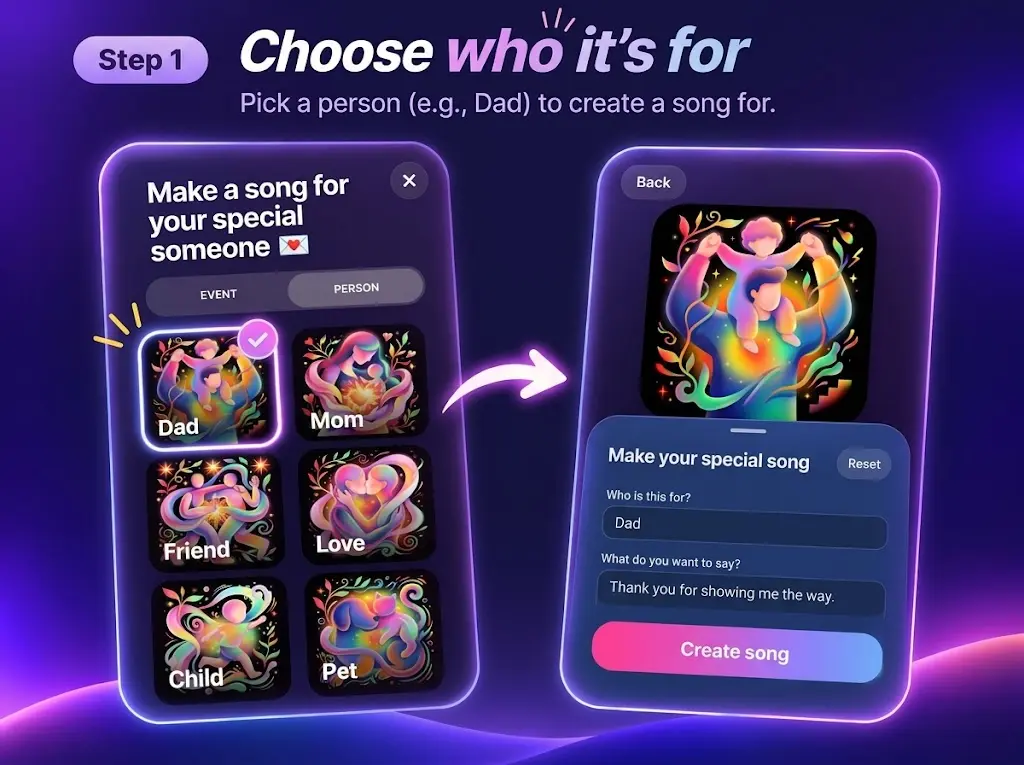
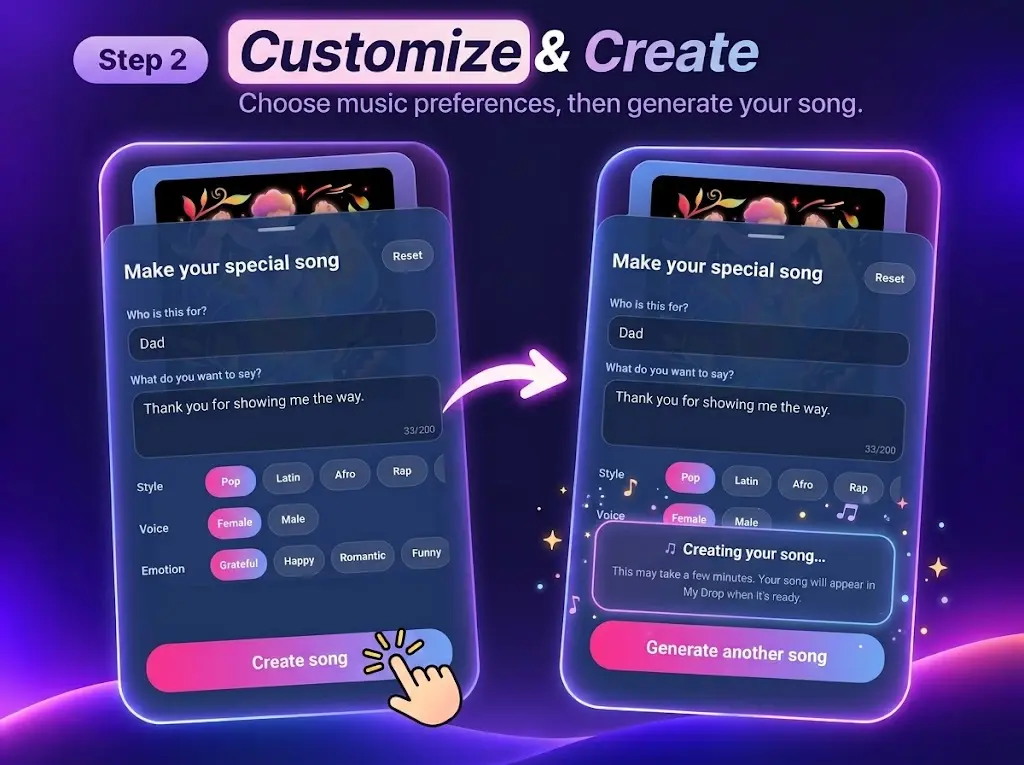
Open Music Card in Vanso and select the PERSON tab. Choose a template, then enter a name or nickname under Who is this for?
In “What do you want to say?”, write your message in up to 200 characters. Try including one detail that belongs to your relationship—a memory, a habit, or a familiar joke.
Choose your sound and create
Select your Style, Voice, and Emotion. You might choose a grateful mood for a parent or a funny one for a friend. Follow the feeling you want to express.
Tap Create song and allow a few minutes for generation. Follow the in-app instructions to find your completed song and give it a listen.
Share it with the person who inspired it
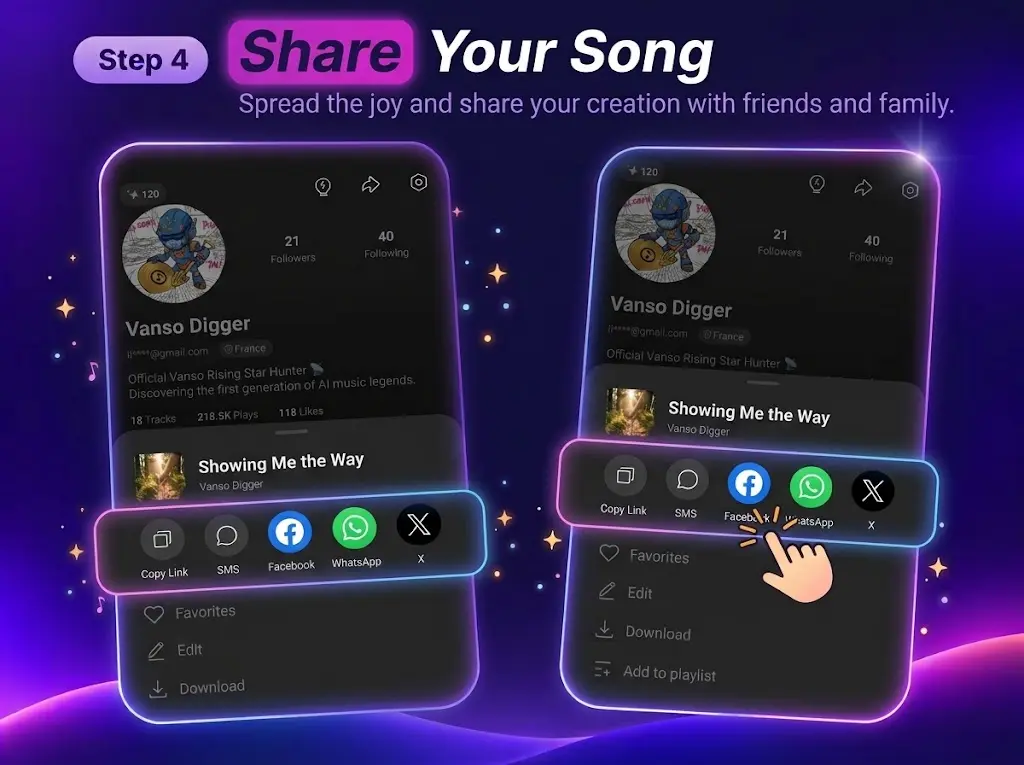
When your song is ready to share, open its sharing options and choose Copy Link, or an available option such as WhatsApp, Facebook, SMS, or X.
Your recipient can open the link and listen on the web.
More Ideas for Your Next Music Card
Try these ideas for your next personalized AI song:
- For Mom: Turn a simple thank-you into a song about her everyday love and care.
- For a Friend: Make a funny song inspired by an inside joke or shared memory.
- For Someone You Love: Turn “I miss you” or a favorite moment together into a personal love song.
- For Your Child: Celebrate a small achievement with a song full of encouragement.
- For Your Pet: Create a playful theme song about their personality and funny habits.
Frequently Asked Questions
Is it free to create a song with Music Card?
New users receive free credits to get started, and Vanso also provides free credits each month.
Can I make a song in a language other than English?
Yes. Vanso supports song creation in multiple languages. Write your message in the language you’d like to use for your song.
Do I need to write lyrics or have music-making experience?
No. You can start with a short personal message. Music Card uses your message and musical preferences to generate a song, so you don’t need to prepare complete lyrics or compose the music yourself.
Who Would You Make a Song For?
Think of someone, and one small thing you’d like them to know.
A thank-you. A shared joke. A reminder that they matter.
Make it a song with Music Card in Vanso.
Download Vanso to get started.